

Free Websites to Design eBook Covers Online 2026
Introduction — Why a Strong eBook Cover Can Make or Break Sales
Today, publishing digital books is easier and faster than ever — whether you’re selling on Amazon Kindle, KDP, Gumroad, Payhip, or using your eBook as a lead magnet to grow your online audience. But before anyone reads your content or checks your description, they judge one thing first:
👉 Your eBook cover.
Your cover acts as the digital handshake of your book and instantly influences how readers feel about it. A well-designed eBook cover reflects:
-
📌 Professional credibility and trust
-
📌 Quality and value of your writing
-
📌 Clear representation of genre and topic
-
📌 Emotional attraction to your story or message
-
📌 A strong first impression that drives clicks
In marketplaces filled with thousands of digital books, visuals determine who stands out and who is ignored. Even the most powerful content can fail if the cover looks outdated or unprofessional.
✅ Attractive cover = more clicks = more downloads = more income
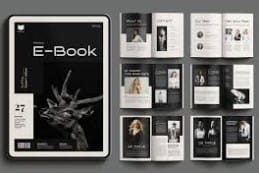
Best Free Websites to Design eBook Covers Online in 2026
If you’re looking for the easiest and most reliable way to design book covers without spending money, these Free eBook cover design websites offer everything you need — templates, graphics, and even Free 3D eBook mockups for promotion. Each of these eBook cover design tools 2026 works online, no software installation required.
✅ Canva — Smart Choice for Beginners & Content Creators
🌐 Link: https://www.canva.com
💰 Free Plan: ✅ Available
🚫 Watermarks: ✅ None if you use free elements
Why Canva Stands Out
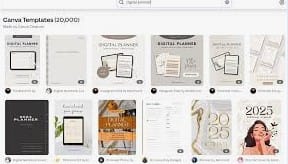
Canva is one of the most popular Online eBook cover generator platforms because it provides drag-and-drop simplicity and thousands of professional templates. Even if you’re new to design, Canva makes it easy to create a cover that looks like it was designed by a pro.
Top Features
-
✅ 1,000+ free eBook cover templates
-
✅ Free images, illustrations & icons
-
✅ Custom sizes for Kindle, KDP, PDF & more
-
✅ Upload your own photos for a unique design
-
✅ Save and edit your project anytime
-
✅ Free Brand Kit to maintain consistent style
How to Make Your Cover in Canva
1️⃣ Sign up → Use the search bar → Type “eBook Cover”
2️⃣ Select a template based on your book’s genre (business, romance, thriller, etc.)
3️⃣ Replace text, change fonts, adjust background, and add images
4️⃣ Download as high-quality JPG or PNG
✅ Canva also includes Free 3D eBook mockups for promotional posts, making your book look more realistic and clickable
2️⃣
Visme — Ideal for Marketers & Infographic-Style eBook Covers
🔗 Website: https://www.visme.co
💾 Watermark-Free Downloads: ✅ Yes (requires login)
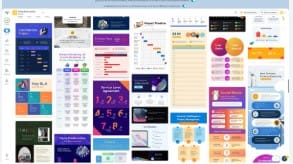
Visme is one of the smartest Free eBook cover design websites for anyone publishing business, educational, or marketing content. As part of the top eBook cover design tools 2026, it delivers a polished, professional look by mixing creative visuals with data elements — something most simple editors can’t provide.
📌 Why Choose Visme?
If your book includes facts, business insights, tutorials, or professional case studies, Visme helps you design a cover that instantly communicates authority and credibility. It’s also an excellent Online eBook cover generator for content marketers who want branding consistency.
🏆 Best For
✅ Business eBooks
✅ Marketing guides
✅ Educational & training PDFs
✅ Lead magnet digital downloads
🔥 Key Features
-
Professional typography and stylish layout combinations
-
Built-in charts, diagrams, and data visuals
-
Library of modern and corporate cover templates
-
Easy drag-and-drop editor
-
Brand-friendly design assets
You can even create complementary visuals like slide decks and Free 3D eBook mockups for campaign promotions — all in one place.
💡 Pro Tip:
Don’t limit Visme to just book covers. Use it to design entire branding kits such as lead magnet covers, promotional banners, and landing page graphics for a powerful marketing strategy.
3️⃣
Adobe Express — Premium Quality Designs Without Paying
🔗 Website: https://express.adobe.com
🚫 Watermarks: ✅ None — everything downloads clean and professional
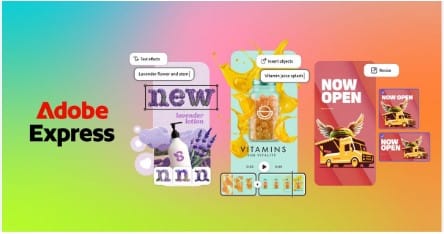
Adobe Express is one of the most powerful Free eBook cover design websites available today. As part of the leading eBook cover design tools 2026, it combines simplicity with Adobe’s iconic design quality, giving your covers a premium, publishing-house look — all without a subscription.
It works as a fast and flexible Online eBook cover generator, offering modern templates and advanced editing features perfect for authors who want a bold, high-impact first impression.
📚 Best For Designing These Genres
✅ Fiction
✅ Thriller / Mystery
✅ Romance
✅ Self-help & motivational titles
✅ Business and life coaching guides
✨ What Makes Adobe Express Stand Out?
-
High-quality Adobe professional fonts
-
Stunning graphics and royalty-free stock images
-
Smart AI editing tools (background removers, filters, effects)
-
Pre-made layouts tailored for Amazon Kindle and PDF eBooks
You can also export your cover in commercial-ready formats and even create stunning Free 3D eBook mockups for marketing your book on social media.
💡 Pro Insight:
Even the free templates look like traditional publishing house designs — meaning you get a professional finish instantly, without hiring a graphic designer.
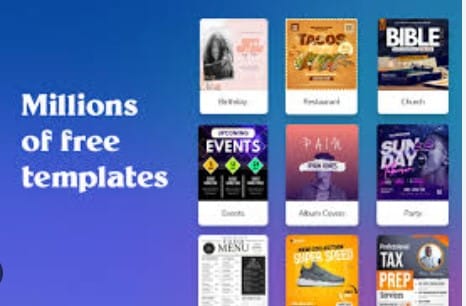
4️⃣PosterMyWall — Quick & Beginner-Friendly Book Cover Designs
🌐 Website: https://www.postermywall.com
🚫 Watermarks: ✅ Standard-quality downloads are free and clean
PosterMyWall is one of the easiest Free eBook cover design websites for beginners who want fast results without learning complicated tools. Its drag-and-drop interface works perfectly for quick projects, making it a solid choice among eBook cover design tools 2026.
Because it’s an Online eBook cover generator, you can work entirely in your browser — no software installations needed.
📌 Best For
✅ Small file-size eBook covers
✅ Promotional graphics for social media
✅ Canva alternatives for quick updates
✅ Author marketing visuals
⭐ Notable Features
-
Ready-to-use templates for multiple genres
-
Built-in Free 3D eBook mockups for promotional posts
-
Download, resize, and repurpose for ads or social media
-
Supports multiple cover formats for publishing platforms
Whether you’re creating a fresh book launch promo or updating an older cover design, PosterMyWall makes the process fast, simple, and stress-free.
.
-
PosterMyWall –
5️⃣Snappa — Fast Downloads & Social Media Ready eBook Covers
🌐 Website: https://www.snappa.com
📥 Free Downloads: ✅ Yes (3 high-quality downloads per month)
Snappa is one of the most efficient Free eBook cover design websites for authors who need fast results. As a lightweight yet powerful Online eBook cover generator, it helps you create polished covers in minutes — no steep learning curve.
This platform is especially valuable in 2026 for authors who promote their books heavily on social platforms. It automatically optimizes designs for thumbnails, making your titles easy to read even when small — a crucial factor for Amazon KDP and social scroll feeds.
📌 Best For
✅ Thumbnail-focused cover designs
✅ Facebook, Instagram & Pinterest promotions
✅ Drag-and-drop simplicity
✅ Quick marketing visuals for book launches
⭐ Key Advantages
-
Clean templates tailored for modern eBook styles
-
Easy resizing for multiple platforms
-
High-quality exports suitable for publishing
-
Integrates well with author marketing strategies
You can also pair your cover with Free 3D eBook mockups for ads and promotional posts — perfect for boosting visibility and conversions.
💡 Pro Note:
Snappa is ideal for authors who want to create and test multiple ad designs quickly, especially when running eBook campaigns on Facebook or Pinterest.
6️⃣BookBrush — Built for Authors & Self-Publishers
🌐 Website: https://www.bookbrush.com
💰 Free Plan: ✅ Includes basic, watermark-free downloads
BookBrush is one of the only Free eBook cover design websites made specifically for book authors. As a top choice among eBook cover design tools 2026, it offers industry-ready templates and cover dimensions tailored for Amazon KDP and print formats.
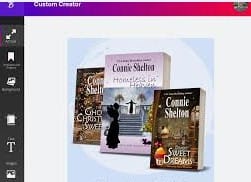
It also works as an advanced Online eBook cover generator, allowing you to create not just digital covers — but also promotional graphics and Free 3D eBook mockups that show your book on tablets, physical shelves, and more.
📌 Best Features for Authors
✅ Genre-specific templates (Fantasy, Sci-Fi, Thriller, Romance, etc.)
✅ Kindle + paperback sizing presets for accurate publishing
✅ 3D mockups for advertising and social media posts
✅ Drag-and-drop editing designed for non-designers
🎯 Perfect For
-
Self-published authors on Amazon KDP
-
Writers launching their first eBook
-
Authors who want professional-looking marketing graphics
-
Fiction and series book cover branding
💡 Pro Tip:
Use BookBrush to showcase multiple cover angles — this boosts credibility and makes your book look like a real bestseller in marketing campaigns.
7️⃣Placeit by Envato — Cover + Mockups in One Platform
🔗 Website: https://placeit.net
✅ Watermark-Free Free Templates Available
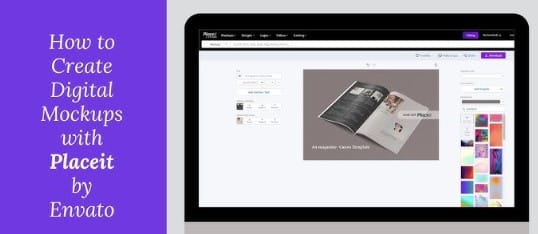
Placeit by Envato stands out among Free eBook cover design websites because it lets you design your cover and instantly turn it into Free 3D eBook mockups — all in the same tool. As one of the most powerful eBook cover design tools 2026, it removes the need for separate mockup software.
It also works as a fast Online eBook cover generator, especially useful for authors launching books on Amazon KDP.
✅ Why Creators Love Placeit
-
Create both cover designs and 3D promotional graphics together
-
Great mockups for social media, ads, and product pages
-
Huge template library with realistic devices & book displays
-
Simple filtering → find only FREE resources
🎯 Best For
-
Amazon KDP book launch campaigns
-
Showing books on tablets, phones, shelves, and hands
-
Authors who want quick professional marketing visuals
✨ Bonus Tip:
Search & filter → FREE → Edit → Download → Start promoting your eBook everywhere!
8️⃣VistaCreate (Ex-Crello) — Animated eBook Covers & Modern Marketing Designs
🔗 Website: https://www.vistacreate.com
✅ Free downloads — no watermarks
VistaCreate is one of the most creative Free eBook cover design websites, perfect for authors who want dynamic visuals. As a top eBook cover design tool 2026, it supports animated layouts — ideal for ads, social media, and product promotions.
You can design stunning covers fast using its Online eBook cover generator, then turn them into Free 3D eBook mockups or animated marketing content.
⭐ Why VistaCreate Stands Out
-
Supports animation for eBook launch promos
-
Modern and stylish cover templates
-
Drag-and-drop beginner-friendly editor
-
Great for fiction & lifestyle eBooks
🎯 Best Use Cases
-
Instagram promo posts
-
Video-style book teasers
-
Scroll-stopping ads for KDP or Gumroad
-
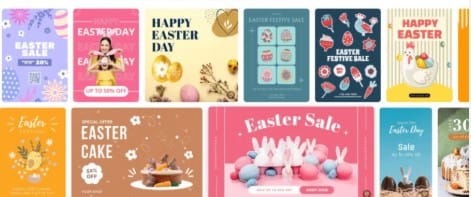
Crello (Now VistaCreate)
9️⃣Pixlr — Best Photoshop-Style Custom Editing for eBook Covers
🔗 Website: https://pixlr.com
✅ Completely watermark-free
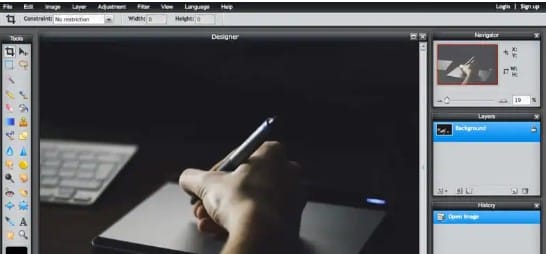
Pixlr is one of the most flexible Free eBook cover design websites, giving you full creative control. As a powerful eBook cover design tool 2026, it works like an online version of Photoshop — perfect for authors who want completely unique visuals.
Its Online eBook cover generator includes two editing modes:
-
Pixlr X → Easy drag-and-drop design
-
Pixlr E → Advanced professional editing with layers and effects
You can also export your design and turn it into Free 3D eBook mockups using other tools in this guide.
✅ Why Choose Pixlr
-
Fully custom cover creation — no template limits
-
Pro-level visual effects and blending
-
Ideal for genres needing dramatic, artistic designs (thriller, fantasy, sci-fi)
If you want total creative freedom without buying Photoshop, Pixlr is a perfect solution.
1️⃣0️⃣GIMP — Most Powerful Free Desktop Tool for Professional eBook Covers
🔗 Website: https://www.gimp.org
✅ Offline software — no watermarks, no payments
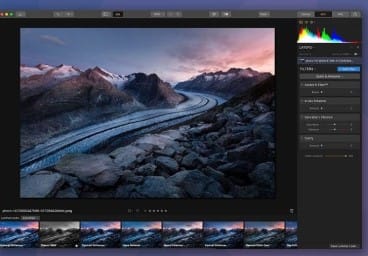
GIMP remains one of the strongest Free eBook cover design tools 2026 for authors who want total creative control. Unlike browser-based Free eBook cover design websites, it works offline and delivers high-resolution results suitable for both print and digital publishing.
Designers can create fully custom artwork from scratch — no templates required. After designing, you can pair results with Free 3D eBook mockups to showcase your final cover professionally.
🎯 Best For
-
Professional graphic design users
-
Unique artwork for fantasy, sci-fi, thriller & premium niches
-
High-quality export for Kindle, PDF & print books
📝 Note:
It’s not the most beginner-friendly Online eBook cover generator, but it is the most powerful free alternative to Photoshop.
1️⃣1️⃣Fotor — AI-Enhanced eBook Cover Creator
🔗 Website: https://www.fotor.com
✅ Free plan available
Fotor is a modern Free eBook cover design website that leverages AI to make designing professional covers easier than ever. As part of the top eBook cover design tools 2026, it allows you to enhance photos, add glow effects to text, and use ready-made book-style typography presets.
Its Online eBook cover generator is perfect for authors looking to create dramatic and eye-catching covers, especially for genres like science fiction, romance, or fantasy. You can also combine your designs with Free 3D eBook mockups for promotional use.
⭐ Key Features
-
AI-powered photo enhancement
-
Text glow and visual effects
-
Pre-designed book typography templates
-
Fast, easy, and beginner-friendly
📌 Best For
-
Sci-Fi, romance, and fantasy eBooks
-
Authors who want AI-assisted design
-
Quick creation of promotional covers
📚 RelayThat — Maintain Brand Consistency Across Series
🔗 Website: https://relaythat.com
💰 Free Version: ✅ Limited but functional
RelayThat is one of the most practical Free eBook cover design websites for authors working on multi-book series. As a top eBook cover design tool 2026, it ensures consistent branding across covers, marketing graphics, and social media visuals.
Its Online eBook cover generator lets authors maintain a cohesive look, which is particularly useful for self-help trilogies, fantasy series, or any book series where visual identity matters. You can even pair covers with Free 3D eBook mockups to create professional promotional graphics.
📌 Best For
-
Series authors wanting brand consistency
-
Multi-book franchises (e.g., self-help, fantasy, romance)
-
Marketing campaigns requiring uniform visuals
📊 ✅ Comparison Table: Best Free eBook Cover Design Tools 2026
| Tool | Best For | Free Downloads | Watermark | Difficulty |
|---|---|---|---|---|
| Canva | Beginners & creators | Unlimited (free elements only) | None | Easy |
| Visme | Educators, marketers | Yes | None | Medium |
| Adobe Express | High-quality design | Yes | None | Easy |
| PosterMyWall | Quick projects | Yes | None (standard) | Easy |
| Snappa | Fast social graphics | 3/month | None | Easy |
| BookBrush | Authors & KDP publishing | Yes | None | Medium |
| Placeit | Mockups + covers | Yes (free templates) | None | Easy |
| VistaCreate | Animated cover promotion | Yes | None | Easy |
| Pixlr | Advanced customization | Yes | None | Medium-Hard |
| GIMP | Professional full editing | Yes | None | Hard |
| Fotor | AI visual enhancements | Yes | None | Medium |
| RelayThat | Consistent branding | Limited | None | Easy |
✅ Best eBook Cover Sizes for Platforms (2026)
| Platform | Recommended Size |
|---|---|
| Amazon Kindle | 1600 × 2560 px (1.6:1) |
| Smashwords | 1600 × 2400 px |
| Gumroad | 1400 × 2100 px |
| PDF Download (Lead Magnet) | A4 or 1600 × 2500 px |
✔ Format: JPG or PNG
✔ File size: Under 2MB for fast uploads
🎨 Bonus: Design Tips for a High-Converting Cover
| Tip | Why It Matters |
|---|---|
| Use big bold fonts | Must be readable in thumbnail form |
| Stick to 1 main image | Avoid clutter & confusion |
| 2–3 color palette max | Looks clean and professional |
| Contrast title vs background | Improves readability |
| Subtitle clarifies benefit | Marketing booster |
| Genre-specific visuals | Readers instantly understand topic |
✅ Always test your cover at thumbnail size — how buyers will first see it!
✅ Real-Life Success Examples
| Case | What Changed | Result |
|---|---|---|
| Self-help author on Amazon KDP | Redesigned cover with bold typography in Canva | 4× more downloads in one week |
| Blogger offering a free PDF guide | Shifted from plain text to visually branded cover | Email sign-ups increased by 60% |
| Fiction writer using BookBrush | Added 3D mockups for promo | Higher engagement on Facebook ads |
💬 People judge by visuals — give them a reason to click!
❌
Common Mistakes to Avoid When Designing eBook Covers
Even with the best tools, mistakes can ruin your eBook’s first impression. Avoid these pitfalls when using Free eBook cover design websites or Online eBook cover generators:
-
Using too many fonts — keeps the design cluttered
-
Low-contrast color combinations — hurts readability
-
Relying on cliché stock images unrelated to content
-
Overloading text — titles should be short and clear
-
Using watermarked graphics — looks unprofessional
-
Ignoring genre expectations (e.g., Romance ≠ Sci-Fi style!)
Rule of thumb:
📌 Simplicity and clarity sell more books than complex, overcrowded designs.
❓ Frequently Asked Questions (FAQs)
Q1: Can I use these covers for commercial sale on Amazon KDP?
✅ Yes — as long as the elements are licensed for commercial use (free elements only).
Q2: Which tool is best for complete beginners?
✨ Canva and Adobe Express are the easiest Online eBook cover generators for new users.
Q3: Can I design a print cover (front + spine + back)?
✅ Yes — BookBrush, Canva, and GIMP all support full wrap covers for print.
Q4: Can these tools create 3D book mockups?
✅ Absolutely — BookBrush, Placeit, and Canva allow you to export Free 3D eBook mockups.
Q5: Which platform is best for unique artistic covers?
🎨 Pixlr or GIMP provide complete creative freedom for custom designs.
✅ Conclusion — Your eBook Cover Is Your First Bestseller
You’ve put time and effort into writing your eBook — now it’s time to make the cover match the value inside.
With these Free eBook cover design websites and eBook cover design tools 2026, you can create:
✔ Eye-catching, professional covers
✔ Watermark-free downloads
✔ High-resolution files for Kindle, PDF, and print
✔ Marketing visuals, including Free 3D eBook mockups
No matter your role — self-published author, digital marketer, blogger, or student — professional design is now fully accessible and free.
💡 Final Advice
Design like a marketer, not just a creator. Your cover must sell your story before readers open a single page. A well-designed cover increases clicks, downloads, and conversions — making it your first and most important bestseller.