

10 Free Tools to Generate AI Avatars YouTube Shorts
1. Introduction
YouTube Shorts has quickly become one of the fastest-growing platforms for creators in 2026. Its short, engaging video format allows anyone—from students to entrepreneurs—to build an audience rapidly without expensive cameras or complex editing skills.
A major shift in content creation is now taking over: faceless videos powered by AI avatars.
Many creators are choosing to use AI avatar generators for YouTube Shorts instead of showing their real faces. This method not only protects privacy but also saves time, while enabling beginners to produce professional-looking Shorts with just a script and a few clicks.
The driving force behind this trend is the rise of free AI avatar tools 2026 that make it simple to:
-
Generate talking avatars online from text
-
Pick professional or fun characters to match your style
-
Add voiceovers without recording your own audio
-
Create videos directly on mobile or desktop
-
Build a fully faceless YouTube channel quickly
In this ultimate guide, you’ll discover the best AI avatar tools for YouTube Shorts, complete with step-by-step tutorials, detailed comparison tables, monetization strategies, bonus tips, common mistakes, and a real-life success story of a student creator.
By the end, you’ll know which tool to pick and how to generate talking avatars online to create engaging, high-quality Shorts using just your smartphone and these free AI avatar tools 2026.
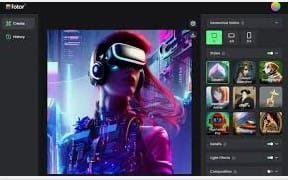
2. Why Use AI Avatars for YouTube Shorts?
Using AI avatar generators for YouTube Shorts is more than just a passing trend—it’s a complete game-changer for creators in 2026. Whether you’re a student, beginner, or small business owner, these tools allow you to produce high-quality content without the hassle of filming yourself. Here’s why they are becoming essential:
1. Perfect for Faceless Creators
Not everyone wants to appear on camera. With free AI avatar tools 2026, you can create professional, engaging videos while staying completely faceless. Your avatar becomes your on-screen persona, giving you privacy and flexibility.
2. Save Time on Recording & Editing
Long hours of filming, retakes, and editing are no longer necessary. Simply write your script, choose an avatar, and generate talking avatars online in minutes. This streamlines your workflow and allows you to produce more Shorts in less time.
3. Professional-Looking Content
Many of the best AI avatar tools offer studio-quality avatars that appear polished, formal, and highly engaging. These avatars are ideal for educational, business, or professional content where credibility matters.
4. Branding Made Easy
With customizable avatars, you can match your channel’s tone, niche, and style. Whether it’s changing skin tone, clothing, or background, AI avatar generators for YouTube Shorts let you maintain a consistent and recognizable brand identity.
5. Minimal Equipment Needed
Forget expensive cameras, microphones, and lighting setups. All you need is your script, a smartphone or computer, and free AI avatar tools 2026 to create professional videos from anywhere.
6. Ideal for Students & Beginners
Even beginners with no prior video experience can start immediately. By using AI avatar generators for YouTube Shorts, students and new creators can enter the world of faceless content creation without investing a dime upfront.
-
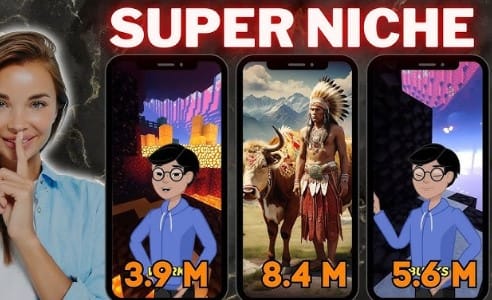
free AI avatar tools 2026
3. Important Features to Look for in AI Avatar Tools
When selecting an AI avatar generator for YouTube Shorts, it’s important to choose a tool that offers the right features to create professional, engaging videos. With so many options available, including free AI avatar tools 2026, here are the key features to consider:
1. Free Plan Availability
The best AI avatar tools often include a free plan, allowing beginners to explore the platform without any upfront cost. Look for tools that let you generate talking avatars online even with a free subscription.
2. Lip-Sync Animation
Your avatar should move its lips naturally in sync with your script. Smooth lip-syncing ensures your Shorts look polished and professional, which is essential for keeping viewers engaged.
3. Watermark or No Watermark
Some AI avatar generators for YouTube Shorts add a small watermark in the free version, while others allow watermark-free exports. If branding is important, choose a tool that lets you create clean, professional videos without visible watermarks.
4. Voiceover Quality
High-quality, human-like voiceovers make your avatar videos more realistic and enjoyable to watch. Look for tools that support multiple languages, accents, and natural-sounding voices.
5. Avatar Customization
The ability to customize skin tone, clothing, hairstyle, and backgrounds is essential for branding. Best AI avatar tools allow you to tailor avatars to match your channel’s personality and style.
6. Mobile-Friendly Interface
Many creators work directly from mobile devices to edit and upload YouTube Shorts. Ensure your chosen AI avatar generator for YouTube Shorts works smoothly on mobile or has a responsive interface for easy video creation on the go.
7. Script-to-Video Support
The fastest way to create Shorts is by pasting your script directly into the tool and generating a video automatically. This feature is a must for anyone looking to generate talking avatars online quickly and efficiently.
-
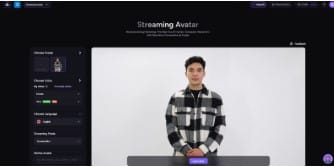
AI avatar generator for YouTube Shorts
4. Top 10 Free AI Avatar Generator Tools for YouTube Shorts (2026)
If you’re looking to create engaging YouTube Shorts without showing your face, using the best AI avatar tools is essential. Below is a detailed breakdown of the top free AI avatar tools 2026, their features, pros and cons, and why they are perfect for beginners who want to generate talking avatars online.
1. D-ID Creative Reality Studio
D-ID is one of the most realistic AI avatar generators for YouTube Shorts, turning scripts into lifelike talking avatars.
Overview:
-
Photo-realistic avatars
-
Advanced lip-sync and AI animation
-
Simple script-to-video interface
Pros:
-
High-quality, professional avatars
-
Extremely natural lip-sync
-
Ideal for educational and business content
Cons:
-
Free version has limited video resolution
-
Limited avatar choices on the free plan
Best For:
Creators aiming for professional explainer videos or corporate-style Shorts.
Pro Tip:
Use D-ID for content that needs a polished, credible, and business-oriented appearance.
2. Synthesia.io Free Plan
Synthesia is considered the industry leader in AI avatar generation and is widely used by businesses and educators.
Overview:
-
120+ avatars
-
Support for 120+ languages and accents
-
Studio-quality templates
Pros:
-
Exceptional avatar quality
-
Wide range of voice options
-
Perfect for professional presentations
Cons:
-
Free plan limits video duration
-
No watermark-free exports on free plan
Best For:
Business content creators, professional educators, and channels that require premium production quality.
3. HeyGen AI Avatars
HeyGen is a favorite among YouTube Shorts creators for trendy, youthful avatar styles.
Overview:
-
Modern and fresh avatars
-
Simple, user-friendly interface
-
Mobile-friendly platform
Pros:
-
Fun and engaging avatars
-
Unlimited free preview videos
-
Easy to use on mobile
Cons:
-
Small watermark on free exports
Best For:
Trendy Shorts, lifestyle content, fun facts, and student creators.
Pro Tip:
Great for quickly generating talking avatars online for Shorts or TikTok trends.
4. DeepBrain.io
DeepBrain is like a mini video studio in your browser, supporting realistic avatars and script-based video generation.
Overview:
-
Realistic human avatars
-
Clean, beginner-friendly interface
-
Ideal for education and training content
Pros:
-
Simple for beginners
-
Professional-looking avatars
Cons:
-
Requires email sign-up
-
Smaller avatar library
Best For:
Teachers, educators, and creators producing explainer videos.
5. Colossyan Creator
Colossyan focuses on formal, corporate-style avatars suitable for business or professional presentations.
Overview:
-
Corporate avatars
-
Multiple professional templates
-
Business-focused designs
Pros:
-
Reliable free plan
-
Professional and clean avatars
Cons:
-
Not suitable for fun or casual niches
Best For:
Corporate content, business channels, coaching, and finance-related Shorts.
6. Media.io AI Talking Avatars
Media.io is perfect if you want a quick, no-signup solution to generate talking avatars online.
Overview:
-
One-click avatar video creation
-
Basic human avatars
-
Instant previews
Pros:
-
No account required
-
Fast video generation
-
Mobile-friendly
Cons:
-
Limited avatar variety
-
Basic lip-sync animations
Best For:
Quick demos, beginner testing, or short, one-off videos.
7. Lumen5 AI Video Creator
Lumen5 is a full-featured video creation platform that allows adding avatars to stock video content.
Overview:
-
Drag-and-drop video maker
-
Avatar overlay feature
-
Social media templates included
Pros:
-
Great for combining avatars with stock footage
-
Easy for beginners
Cons:
-
Avatars are less expressive
-
Free version limited in features
Best For:
Educational explainer videos, marketing content, and branded Shorts.
8. Elai.io AI Video Generator
Elai.io produces human-like avatars ideal for educational and professional Shorts.
Overview:
-
Realistic avatars with natural movement
-
Script-to-video automation
-
No watermark on demo exports
Pros:
-
Professional and clean appearance
-
High-quality voiceovers
Cons:
-
Limited features on the free plan
Best For:
Formal channels, professional tutorials, and educational content.
9. Pictory AI Video Maker
Pictory is excellent for repurposing blogs, scripts, or articles into YouTube Shorts using avatars.
Overview:
-
Converts text content into video
-
Script automation and formatting
-
Supports avatars
Pros:
-
Ideal for bulk content creators
-
Saves time for marketers
Cons:
-
Learning curve for first-time users
Best For:
Creators who need to generate talking avatars online quickly from written content.
10. Animaker AI Avatars
Animaker offers fun, cartoon-style avatars perfect for kids’ channels or casual content.
Overview:
-
Fully customizable cartoon avatars
-
Bright, playful visuals
-
Easy character customization
Pros:
-
Engaging and fun avatars
-
Highly customizable designs
Cons:
-
Less realistic lip-sync
-
Not suitable for formal content
Best For:
Kids’ channels, casual content, animated explainer videos, or fun fact Shorts.
5. Step-by-Step Tutorial: How to Use AI Avatar Tools (Example: HeyGen)
Creating YouTube Shorts with AI avatars is easier than ever using free AI avatar tools 2026. Here’s a universal workflow you can follow to generate talking avatars online:
Step 1: Visit HeyGen.com
Open the website on your desktop or mobile device. Most AI avatar generators for YouTube Shorts are fully web-based, so no software installation is needed.
Step 2: Create a Free Account
Sign up using your Google account or email to access the free plan. This allows you to explore the tool without any upfront cost.
Step 3: Choose an Avatar
Pick from realistic human avatars or cartoon-style characters depending on your channel’s theme. The best AI avatar tools offer multiple customization options.
Step 4: Paste Your Script
Write or paste your script into the text box. With AI avatar generators for YouTube Shorts, your avatar will speak exactly what you write.
Step 5: Pick Voice & Language
Select the desired accent, gender, and language for your avatar’s voice. Most free tools support multiple languages, making your content accessible globally.
Step 6: Customize Background
Upload your own background image or use solid colors to match your channel branding.
Step 7: Click “Generate Video”
Wait a few seconds as the AI processes your script. You’re now ready to generate talking avatars online instantly.
Step 8: Download Your Video
Download the finished video and upload it directly to YouTube Shorts for publishing.
This same workflow works for D-ID, Synthesia, DeepBrain, and other free AI avatar tools 2026, with minor variations in interface.
6. Comparison Table of Free AI Avatar Tools (2026)
Here’s an updated comparison to help you choose the best AI avatar tools for YouTube Shorts:
| Tool | Best For | Watermark Free? | Lip-Sync Quality | Voice Quality | Ease of Use | Mobile Friendly |
|---|---|---|---|---|---|---|
| D-ID | Professional explainers | Yes (demo) | High | High | Easy | Yes |
| Synthesia | Business videos | No | Very High | Very High | Medium | No |
| HeyGen | Trendy content | Small watermark | High | High | Very Easy | Yes |
| DeepBrain | Education | Yes | Medium | Medium | Easy | No |
| Colossyan | Corporate content | Yes | Medium | Medium | Easy | Yes |
| Media.io | Quick videos | Yes | Low | Low | Very Easy | Yes |
| Lumen5 | Mixed content | No | Medium | Medium | Easy | Yes |
| Elai.io | Formal content | Yes | High | High | Medium | Yes |
| Pictory | Automated scripts | No | Medium | High | Medium | Yes |
| Animaker | Fun content | No | Low | Fun voices | Easy | Yes |
Tip: Beginners can start with HeyGen or Media.io, while creators aiming for professional-quality Shorts should consider D-ID or Synthesia.
7. Monetization Strategies Using AI Avatars
Generating income with AI avatars for YouTube Shorts has never been easier. Here are effective strategies:
1. Start a Faceless YouTube Shorts Channel
Educational content, fun facts, business tips, or motivational Shorts work perfectly with avatars. Using AI avatar generators for YouTube Shorts, you can create consistent content without showing your face.
2. Sell Avatar Videos on Fiverr
Many clients pay for professional explainer videos. You can offer services using free AI avatar tools 2026 to produce high-quality avatar videos.
3. Create Educational Courses
Narrate tutorials, online courses, or training material using AI avatars. This allows you to produce professional content without recording yourself.
4. Make Brand Videos for Small Businesses
Small businesses need promotional content but often lack budgets. Offer avatar-based explainer videos to meet this demand.
5. Repurpose Existing Content
Convert blogs, scripts, or articles into Shorts using AI avatars. This lets you generate talking avatars online and monetize existing content efficiently.
Using these strategies, beginners and students can quickly start earning while producing faceless, professional-quality Shorts.
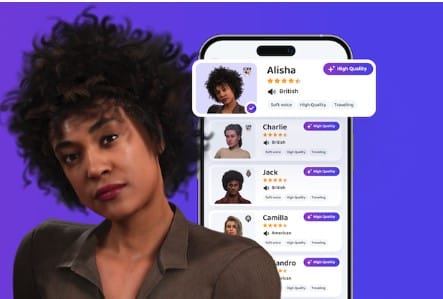
8. Bonus Tips, Best Practices & Common Mistakes
When using AI avatar generators for YouTube Shorts, following best practices and avoiding common pitfalls can make a huge difference in your content’s performance.
Common Mistakes to Avoid
❌ Using robotic or unnatural voices – choose tools that produce human-like audio.
❌ Skipping subtitles – viewers often watch Shorts without sound.
❌ Overly long scripts – Shorts perform best under 60 seconds.
❌ Picking the wrong avatar style – ensure it matches your niche and audience.
❌ Ignoring branding – consistent avatars, backgrounds, and colors build recognition.
Best Practices
✔ Keep videos short, ideally under 60 seconds.
✔ Use simple, clear language so your message is easy to follow.
✔ Add subtitles to improve engagement and accessibility.
✔ Choose avatars with expressions that match your topic or tone.
✔ Ensure audio clarity and natural voiceovers.
✔ Focus on trending topics to grow your audience faster.
Bonus Tips for Success
-
Use CapCut or other video editors to add subtitles and captions.
-
Reuse the same avatar across multiple Shorts for brand consistency.
-
Combine avatars with stock footage or overlays for variety.
-
Hook viewers in the first 2–3 seconds with a compelling intro.
-
Experiment with different free AI avatar tools 2026 to see which one works best for your content style.
-
Use multiple tools to generate talking avatars online and compare quality for your niche.
Following these guidelines ensures your Shorts created with AI avatar generators for YouTube Shorts are professional, engaging, and optimized for growth.
-
Common Mistakes AI avatar generators for YouTube Shorts
9. Real-Life Case Study
Ahsan – A Student from Lahore Who Succeeded with AI Avatars
Ahsan, a 20-year-old university student from Lahore, launched a faceless YouTube Shorts channel using HeyGen, one of the best AI avatar tools available in 2026. He focused on creating short educational videos about historical facts.
By leveraging AI avatar generators for YouTube Shorts, Ahsan was able to generate talking avatars online quickly and consistently, producing professional-looking content without ever appearing on camera.
Within just 5 months, his results included:
-
50,000 subscribers on YouTube Shorts
-
Monetization through YouTube Shorts ads
-
An additional income stream by selling avatar-based explainer videos on Fiverr
-
A growing personal brand—all without showing his face
This real-life example demonstrates the power of free AI avatar tools 2026 for students, beginners, and creators looking to start faceless YouTube channels. By using the best AI avatar tools, anyone can turn scripts into engaging content and build a monetizable channel in a short time.
.

10. FAQs About AI Avatar Generators for YouTube Shorts
Q1. Are AI avatar generators really free?
Most free AI avatar tools 2026 offer a no-cost plan, although some may include small watermarks or limit video resolution. These free versions are perfect for beginners to generate talking avatars online without any investment.
Q2. Can I monetize avatar videos on YouTube Shorts?
Yes! As long as your content is original and adds value—through engaging scripts, subtitles, and edits—YouTube allows monetization of avatar-based Shorts created with AI avatar generators for YouTube Shorts.
Q3. Which AI avatar tool is easiest for beginners?
HeyGen and Media.io are beginner-friendly with intuitive interfaces. For more professional or business-style content, D-ID is a great choice.
Q4. Do these AI avatar tools work on mobile devices?
Many tools, including HeyGen, D-ID, Media.io, and Lumen5, are mobile-friendly. You can easily generate talking avatars online directly from your smartphone or tablet.
Q5. Are AI avatar videos allowed for YouTube monetization?
Absolutely. YouTube permits avatar and animation-based content as long as it is original, engaging, and provides value to the audience. Using free AI avatar tools 2026 ensures you can create professional content without recording yourself.
11. Conclusion
AI avatar generators for YouTube Shorts have revolutionized content creation. Now, you can produce professional, faceless, and engaging Shorts using only a script and free AI avatar tools 2026—no camera, microphone, or advanced editing skills required.
Whether you are a student, beginner, freelancer, or business owner, these best AI avatar tools allow you to generate talking avatars online quickly and consistently.
Start experimenting today: pick your favorite avatar style, create your first faceless Short, and begin building your personal or business brand. With these tools, your journey into faceless YouTube content has never been easier.
Very nice post. I simply stumbled upon your
blog and wished to mention that I’ve really loved surfing around your blog posts.
Afterr all I will be subscribing in your feed and I hope you write again soon!
Thank you
Your point of view caught my eye and was very interesting. Thanks. I have a question for you. https://www.binance.info/register?ref=IXBIAFVY
yes sir please tell me?