
Best Canva Alternatives That Are 100% Free
Introduction
If you’ve ever tried to design graphics online, you’ve likely heard of Canva. It’s one of the most popular tools for creating stunning visuals, widely used by students, beginners in digital marketing, content creators, and small business owners. Its drag-and-drop interface, ready-to-use templates, and fast workflow make it a favorite for anyone who wants professional-looking designs without advanced skills.
However, there’s a limitation. While Canva offers a free plan, many of its premium features, fonts, images, and templates are locked behind a paid “Pro” subscription. You might start designing the perfect social media post, eBook cover, or presentation, only to notice a crown icon on the elements you want—forcing you to upgrade to access them.
The good news? Canva isn’t the only solution. There are several best free Canva alternatives for students and beginners that let you design social media posts free and create professional graphics without paying a single rupee. These tools are perfect for students, beginners, and anyone looking for Canva alternatives for beginners, allowing you to craft everything from Instagram posts to YouTube thumbnails, presentations, and marketing materials.
At sociallif.com, we’ve explored the top free design platforms that give you the same quality as Canva, with no hidden fees or watermarks, so you can start creating amazing visuals today.
Create eye-catching social media posts without spending a single rupee
Design attractive YouTube thumbnails that grab attention
Build professional-looking eBooks and presentations easily
Craft stunning marketing materials for your side hustle or small business
In this guide, we’ll explore the best free Canva alternatives for students and beginners that let you design social media posts free. You’ll learn:
How each tool works with simple, step-by-step instructions
Which platform is ideal for specific tasks like social media graphics, infographics, or presentations
Real-life examples of how students and beginners are using these tools to make money online
Bonus tips, common mistakes to avoid, and ways to monetize your designs without spending a single rupee
Who should read this guide?
Students looking to create graphics for school projects, resumes, or personal branding
Freelancers and beginners in digital marketing who don’t want to pay for expensive tools
Small business owners aiming to design professional marketing content in-house
Anyone frustrated by “premium” pop-ups in supposedly free apps
By the end of this guide from sociallif.com, you’ll have a curated list of powerful, no-cost design tools that help you create professional-quality visuals, all while keeping your budget safe and your workflow simple.
Best Free Canva Alternatives for Students and Beginners (No Hidden Charges)
If you’ve ever used Canva, you know how easy it is to design almost anything—whether it’s a school project, YouTube thumbnail, or an Instagram post. But here’s the catch: some of Canva’s best features are only available with Canva Pro, which costs money each month.
For students, beginner freelancers, and small business owners on a budget, the ideal solution is a tool that is completely free, easy to use, and still produces professional results. The good news? You don’t need to spend a single rupee to create amazing designs.
There are numerous 100% free Canva alternatives that allow you to use templates, stock photos, drag-and-drop editing, and even animation or video features—without hidden charges. In this guide from sociallif.com, we’ll show you the top options, how they work, and why they’re perfect for students and beginners who want to design social media posts free.
1. Adobe Express (Free Plan)
Why it’s great:
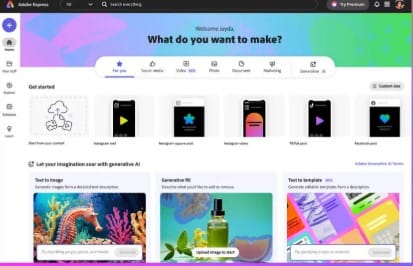
Adobe Express is like Photoshop’s friendly younger sibling—it gives you professional-quality designs without the steep learning curve. The free plan is generous, offering thousands of templates, fonts, stock images, and basic video editing tools.
How to Get Started:
Go to Adobe Express and create a free account.
Select a pre-made template or begin with a blank design.
Use the drag-and-drop editor to add text, images, shapes, or icons.
Download your design—free plan downloads are watermark-free.
Pros:
Professional-quality templates that look polished
Over 1,000 free templates and design assets
Built-in video editing for short clips
Cons:
Some premium designs require the paid plan
Can feel slow on weak internet connections
Best For:
Students, freelancers, and small business owners who want high-quality designs without learning complex software.
2. VistaCreate (Formerly Crello)
Why it’s great:
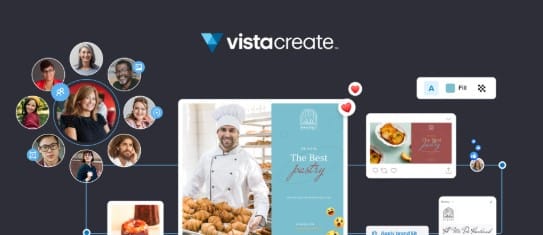
For those familiar with Canva, VistaCreate offers a seamless transition. It features the same intuitive drag-and-drop interface, making it one of the best free Canva alternatives for students and beginners. VistaCreate provides a wide range of templates for social media posts, YouTube thumbnails, posters, and even animated graphics—all completely free.
How to Get Started:
Visit VistaCreate and sign up for a free account.
Choose your design type, such as an Instagram post, presentation, or blog banner.
Customize the template by adding images, text, graphics, and animations.
Export your final design—free downloads are watermark-free.
Pros:
Layout and workflow similar to Canva, making it easy for beginners
Free animated templates for creating engaging visuals
Large library of stock photos and design elements
Cons:
Limited brand customization on the free plan
Best For:
Students, freelancers, and beginners who want to design social media posts free while enjoying a Canva-like experience with extra animation options.
3. Figma
Why it’s great:
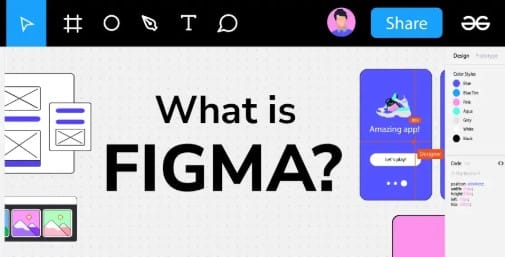
Figma is a powerful design platform built for collaboration, allowing multiple users to work on the same project in real time. While it’s widely used by UI/UX designers, it’s also an excellent choice for students and beginners who want to create clean, professional social media posts, presentations, or infographics. Figma stands out as one of the best free Canva alternatives for students who want both flexibility and teamwork features.
How to Get Started:
Visit Figma and sign up for a free account.
Start a new file or select a template from their free community library.
Use vector tools, shapes, and text to design your layout.
Export your final design in PNG, JPG, or SVG formats.
Pros:
Real-time collaboration, ideal for group projects and class assignments
Free plan available for individuals and small teams
Browser-based platform—no downloads required
Cons:
Slight learning curve for absolute beginners
Best For:
Students, beginners, and small teams who want to design social media posts free while exploring UI/UX design principles.
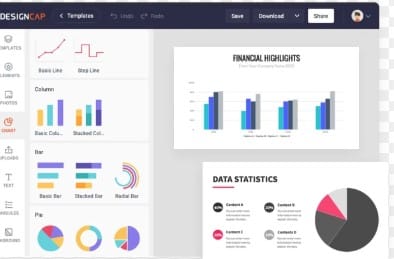
4. DesignCap
Why it’s great:
DesignCap is an excellent choice for students and beginners looking for a simple, no-fuss design tool. It allows you to design social media posts free, infographics, presentations, and posters effortlessly. Its user-friendly interface makes it one of the best free Canva alternatives for students who want professional-looking graphics without spending hours learning complicated software.
How to Get Started:
Visit DesignCap and sign up for a free account.
Select a design category, such as social media posts, infographics, or flyers.
Customize your chosen template using the drag-and-drop editor.
Download your design for free—no watermarks included.
Pros:
Extremely beginner-friendly, ideal for students and new designers
Fast design process for creating graphics quickly
Good selection of infographic and social media templates
Cons:
Smaller template library compared to Canva
Best For:
Beginners and students who want a zero-stress design experience and the ability to design social media posts free for school projects, social media pages, or small business promotions.
5. Pixlr
Why it’s great:
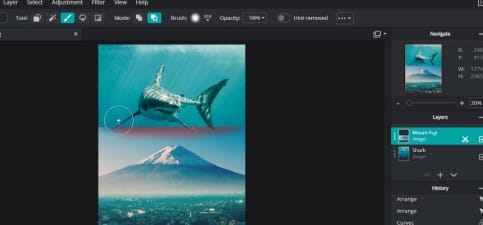
Pixlr is a versatile online photo editor that combines basic photo editing with template-based design, making it one of the best free Canva alternatives for students. It’s perfect for those who want to design social media posts free while also having control over image adjustments, effects, and overlays—all without paying for expensive software like Photoshop.
How to Get Started:
Visit Pixlr—no sign-up is required.
Choose Pixlr X for a simpler, beginner-friendly experience or Pixlr E for advanced editing tools.
Start editing your photos or designing graphics from a template.
Save your work for free—downloads are watermark-free.
Pros:
Combines photo editing and design in one platform
Quick edits with no account required
Offers plenty of free overlays, effects, and fonts
Cons:
Template variety is smaller compared to Canva
Best For:
Students, beginners, and freelancers who want to design social media posts free while also enhancing their images, without investing in Photoshop or other paid tools.
6. Snappa
Why it’s great:
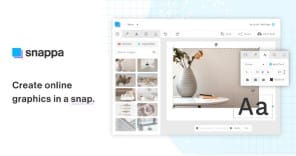
Snappa is designed for speed and simplicity, making it one of the best free Canva alternatives for students and beginners. It allows you to design social media posts free, blog graphics, and online ads in just a few minutes, without needing any advanced design skills.
How to Get Started:
Visit Snappa and sign up for a free account.
Pick a ready-made layout or create your design from scratch.
Add graphics, text, backgrounds, and other elements using the drag-and-drop editor.
Download your final design in high resolution for free.
Pros:
Extremely fast and easy to use, perfect for beginners
Templates optimized for social media platforms
High-resolution downloads included in the free plan
Cons:
Limited number of free downloads per month
Best For:
Students, beginners, and freelancers who want to create polished designs quickly and design social media posts free without investing in paid software.
Comparison Table – Best Free Canva Alternatives
| Tool | Best For | Unique Feature | Watermark-Free? | Difficulty Level |
|---|---|---|---|---|
| Adobe Express | Professional designs | Built-in video editor | Yes | Easy |
| VistaCreate | Canva-like workflow | Animated templates | Yes | Easy |
| Figma | UI/UX projects | Real-time collaboration | Yes | Medium |
| Pixlr | Quick photo edits | AI background remover | Yes | Easy |
| Photopea | Photoshop alternative | PSD file support | Yes | Medium |
Real-Life Example
Meet Hina Khan from Lahore. She had a small dream — to sell her handmade jewelry online. Like many students, she didn’t have a budget for expensive design tools.
While searching for solutions, Hina discovered VistaCreate, one of the best free Canva alternatives for students. Using the free plan, she created over 50 eye-catching Instagram posts in just two months without spending a single rupee. Her designs were so appealing that they helped her grow her page to 3,000 followers.
The best part? All her sales were made directly through Instagram DMs, earning her around PKR 20,000. Hina’s story proves that with the right free tools, students and beginners can design social media posts free and even start a small business from home.
Bonus Tips & Common Mistakes to Avoid
1. Limit Your Fonts:
Using an excessive number of fonts can make your design appear cluttered. Stick to 2–3 fonts per project to keep your visuals clean and professional.
2. Check Usage Rights:
Even with free platforms, some images, icons, or templates may have restrictions. Always verify the license to avoid copyright issues.
3. Optimize File Sizes:
Large files can slow down websites or take too long to upload on social media. Export your designs in an optimized size to ensure fast loading without losing quality.
4. Consistency is Key:
Maintain a consistent color scheme, font style, and layout across your designs for a professional look.
5. Test Your Design:
Before posting or sharing, preview your design on different devices to make sure it looks perfect everywhere.
Frequently Asked Questions
Q1. Are these tools truly free?
Yes! Every platform on this list offers a free plan that allows you to design social media posts free without watermarks. While some tools have premium features, you can create professional-quality graphics and projects without spending a single rupee.
Q2. Which tool is best for beginners?
For students and beginners, Adobe Express and VistaCreate are excellent choices. Their intuitive drag-and-drop editors and ready-made templates make it simple to start designing right away. These are among the best free Canva alternatives for students.
Q3. Can I earn money using these free tools?
Absolutely! You can use them to create Instagram posts, YouTube thumbnails, eBook covers, marketing graphics, and more. Then, sell your designs on platforms like Fiverr, Etsy, or directly through social media. Students and beginners can monetize their designs without investing in expensive software.
Q4. Do I need a high-performance computer to use these design tools?
Not at all. Most of these platforms run entirely in your web browser. Even a basic laptop, tablet, or Chromebook is enough to create professional-quality designs.
Q5. Which platform feels most like Canva?
If you want a Canva-like experience, VistaCreate is the closest alternative. It offers a similar interface, workflow, and template variety, making it perfect for students and beginners who are used to Canva’s style.
Q6. Are these platforms suitable for students?
Yes! These are some of the best free Canva alternatives for students who want to design social media posts free, create school projects, or start building their personal brand online.
Conclusion — Best Free Canva Alternatives for Students
Canva has become a go-to tool for creating graphics, but it’s not the only solution for students and beginners. If you’re looking to design social media posts free, create engaging presentations, or craft eye-catching graphics without paying a single rupee, there are several best free Canva alternatives for students that are worth exploring. These platforms offer professional-quality features, no hidden charges, and no watermarks—perfect for those just starting out.
Top options like Adobe Express, VistaCreate, and Figma demonstrate that you don’t need expensive software to produce polished, creative designs. Whether you’re making Instagram posts, YouTube thumbnails, eBook covers, flyers, or complete presentations, these tools provide everything you need directly in your web browser. There’s no need for large downloads, complex installations, or costly subscriptions.
One major advantage of these free Canva alternatives is flexibility. You can start a design project on your laptop, make edits on your tablet, and finalize it on your phone. This multi-device support is ideal for students, beginners, freelancers, and small business owners who want to design social media posts free while working on the go.
These platforms are also beginner-friendly. Adobe Express and VistaCreate come with intuitive drag-and-drop editors, thousands of ready-made templates, free stock images, and customizable fonts. This means you can turn a simple idea into a professional design in minutes. Figma, on the other hand, is perfect for students and beginners who want to explore UI/UX design or collaborate on group projects. It offers free templates, real-time collaboration, and a workspace for team projects, making it a powerful option even for slightly advanced users.
Another big benefit is the absence of watermarks on free downloads. Every tool mentioned allows you to export your creations in high-quality formats without needing a paid plan. This ensures that your designs always look professional, whether you’re posting on social media, submitting a school project, or promoting your small business.
So, when you need to create a social media post, flyer, presentation, or marketing graphic, don’t feel limited to one platform. Experiment with different Canva alternatives for beginners and find the one that fits your style, workflow, and creative needs.
Pro Tips:
For Canva-like simplicity and ease of use, choose VistaCreate.
For professional polish with extra features and design flexibility, Adobe Express is ideal.
If you enjoy experimenting with layouts and collaborating on projects, Figma is the perfect tool.
Start exploring these platforms today at sociallif.com and unlock the ability to design social media posts free, create stunning visuals, and bring your creative ideas to life—without spending a rupee. Whether you’re a student, freelancer, or small business owner, these tools give you the freedom and flexibility to design like a pro.
Now it’s over to you—Which free Canva alternative will you try first?