
7 Best Free Website Builders for Beginners
Introduction
Creating a website in 2026 has become simpler than ever. Whether your goal is to start a personal blog, launch an online store, build a portfolio, or establish a small business site, there are plenty of free website builders for beginners that let you get online in just a few clicks. The most exciting part? You can create a website without coding or any prior design experience, thanks to intuitive interfaces and ready-made templates.
In today’s digital world, having a website is essential. It allows you to showcase your work, grow your brand, sell products, and even generate income online. For newcomers, finding the best website builder 2026 can feel overwhelming due to the wide variety of website building tools for beginners, each offering different features, templates, and pricing plans.
This comprehensive guide will walk you through the 7 best free website builders for beginners in 2026, detailing their features, ease of use, templates, SEO capabilities, and limitations. Plus, we’ll include bonus tips, real-life examples, a comparison table, common mistakes to avoid, FAQs, and a conclusion, so by the end, you’ll know which website builder is perfect for your needs.
What Makes a Website Builder Ideal for Beginners?
Not all website builders are designed with beginners in mind. When choosing the best website builder 2026, especially if you want to create a website without coding, certain features are essential. The right website building tools for beginners should include:
Drag-and-drop interface: Lets you design and arrange pages visually without writing a single line of code, making it easy to create a website without coding.
Pre-designed templates: Ready-made layouts save time and help you build a professional-looking site quickly, a key feature of free website builders for beginners.
Free hosting: Hosting is included in the platform, so you don’t need to pay for a separate server or worry about technical setups.
SEO-friendly setup: Built-in SEO tools ensure your site is optimized for search engines, helping your content reach a wider audience.
Mobile-responsive design: Automatically adapts your site to smartphones, tablets, and desktops for a seamless user experience.
Tutorials and customer support: Step-by-step guides, tutorials, and responsive support help beginners navigate the platform with confidence.
By ensuring these features, you can confidently pick a platform that allows you to create a website without coding while leveraging the best website building tools for beginners.
1. Wix
Website: www.wix.com
Key Features:
Intuitive drag-and-drop editor for easy, visual customization, perfect for beginners who want to create a website without coding.
Over 800 designer templates to choose from, helping you launch a professional-looking site quickly.
Free domain with
.wixsite.comextension included in the free plan.Extensive app market to add features like booking systems, forms, eCommerce tools, and more.
Built-in SEO tools to improve your website’s search engine visibility.
Pros:
Extremely user-friendly, making it one of the top website building tools for beginners.
Extensive customization options to match your brand or style.
Comprehensive support center and tutorials to guide you every step of the way.
Cons:
Free plan displays Wix ads on your site.
Once a template is chosen, it cannot be changed without starting over.
How to Use Wix:
Sign up on Wix with your email.
Select a template or use Wix ADI (Artificial Design Intelligence) for an automatic design tailored to your needs.
Drag and drop elements to customize your pages easily.
Publish your website instantly to get online quickly with a professional look.
Real-Life Example:
A freelance graphic designer leveraged Wix to create a complete portfolio site in less than a day. Using the drag-and-drop editor, they showcased their work samples, client testimonials, and contact forms without writing a single line of code, demonstrating why Wix is considered one of the best website builders in 2026 for beginners.

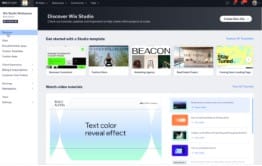
Wix free website builders for beginners
2. Weebly (by Square)
Website: www.weebly.com
Key Features:
Easy-to-use drag-and-drop builder, ideal for beginners who want to create a website without coding.
Free SSL security included for safe browsing and transactions.
Ecommerce-ready platform for small online stores, including product management and payment options.
Blogging tools to publish content and engage with your audience.
Pros:
Perfect choice for small business owners and startups.
Integrated with Square for seamless online payment processing.
Mobile editing lets you update your site from anywhere.
Cons:
Fewer templates compared to Wix.
Free plan displays Weebly ads on your website.
How to Use Weebly:
Sign up for a free account at Weebly.
Choose a theme that matches your business or blog style.
Add pages, products, or blog posts using the drag-and-drop editor.
Publish your website instantly to go live.
Real-Life Example:
A local bakery used Weebly to create an online store in just a few hours. Customers could browse products, place orders, and make payments online—all without hiring a developer or learning to code. This demonstrates why Weebly is one of the best website builders in 2026 and a top choice among free website builders for beginners.

Weebly (by Square) reate a website without coding.

3. WordPress.com
Website: www.wordpress.com
Key Features:
Powerful Content Management System (CMS) that allows you to manage and publish content easily, even if you want to create a website without coding.
Hundreds of free, customizable themes suitable for blogs, portfolios, and business sites.
Jetpack plugin for enhanced performance, security, and analytics.
SEO-ready structure to help your site rank higher in search engines.
Pros:
Ideal for blogging and content-rich websites.
Trusted by millions of users worldwide.
Large community and extensive support resources, making it one of the best website building tools for beginners.
Cons:
Slightly steeper learning curve for absolute beginners.
Free plan displays WordPress.com ads on your site.
How to Use WordPress.com:
Sign up and choose a blog or website name.
Select a free theme that aligns with your style or niche.
Customize your website using the block editor without writing any code.
Publish your first post and go live.
Real-Life Example:
A travel blogger leveraged WordPress.com to document trips around the world. With access to hundreds of themes and built-in SEO tools, they created a professional-looking blog that attracted readers globally—all without needing technical skills. This makes WordPress.com one of the best website builders in 2026 and a top choice among free website builders for beginners.

WordPress.com best website builders in 2026

How to Start a Blog and Earn from Google AdSense (Beginner Guide)
4. Google Sites
Website: sites.google.com
Key Features:
Completely free with no ads, making it one of the top free website builders for beginners.
Fully integrated with Google Workspace (Docs, Drive, Calendar) for seamless collaboration and content embedding.
Intuitive drag-and-drop editor allows you to create a website without coding.
Real-time collaboration for teams, making it ideal for projects and group work.
Pros:
Perfect for educational projects, internal company sites, or collaborative portals.
No design skills required—beginner-friendly interface.
Completely ad-free, even on the free plan.
Cons:
Limited design customization compared to other website builders.
Not ideal for blogging or eCommerce.
How to Use Google Sites:
Visit Google Sites and log in with your Google account.
Start with a blank site or choose from available templates.
Add text, images, videos, or embed Google Docs, Sheets, and Forms.
Publish your site under a Google domain instantly.
Real-Life Example:
A school created a Google Sites project portal for students to submit assignments, access study materials, and collaborate on group projects. The drag-and-drop interface and website building tools for beginners made it easy to launch a functional site quickly, proving why Google Sites is a reliable choice among the best website builders in 2026.

Google Sites free website builders for beginners
5. Webnode
Website: www.webnode.com
Key Features:
Quick website setup in under 5 minutes, making it one of the fastest free website builders for beginners.
Multi-language support, ideal for reaching international audiences.
Built-in blog and eCommerce capabilities for content sharing and online sales.
Beginner-friendly interface that allows you to create a website without coding.
Pros:
No coding skills required—perfect for newcomers.
Free SSL certificate ensures your site is secure.
Simple and elegant templates for a professional look.
Cons:
Ads are displayed on the free plan.
Limited advanced customization options compared to other platforms.
How to Use Webnode:
Sign up for a free Webnode account.
Choose your website type: blog, portfolio, or online store.
Select a template and customize it using the drag-and-drop editor.
Publish your website instantly to go live.
Real-Life Example:
A small travel agency used Webnode to build a bilingual website showcasing tours in multiple languages. The multi-language support helped attract clients from different countries, while the website building tools for beginners made setup fast and easy. This makes Webnode a strong contender for the best website builder 2026.

Webnode website building tools for beginners

6. Site123
Website: www.site123.com
Key Features:
AI-assisted setup that simplifies website creation, making it one of the most beginner-friendly website building tools for beginners.
Free hosting included, so you can launch your site immediately.
Free domain available on paid plans for more professional branding.
Intuitive interface allows you to create a website without coding, even if you have no technical experience.
Pros:
Very simple interface ideal for first-time users.
Beginner tutorials and guides available to assist every step.
24/7 live chat support for immediate help.
Cons:
Basic design options compared to other platforms.
Ads appear on the free plan.
How to Use Site123:
Choose the type of website you want to create (blog, store, portfolio, etc.).
Fill out a short form with your information.
Customize the layout by adding text, images, and sections using the drag-and-drop editor.
Publish your website instantly and go live.
Real-Life Example:
An aspiring chef used Site123 to launch a recipe blog. The AI-assisted setup made it easy to add sections for recipes, tips, and social media links, all without any technical knowledge. This demonstrates why Site123 is considered one of the best website builders in 2026 and a top choice among free website builders for beginners.

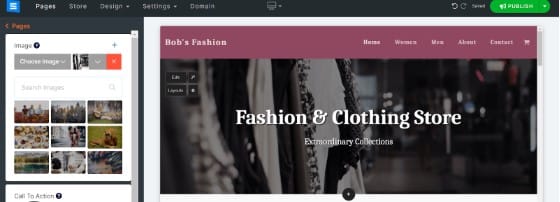
Site123
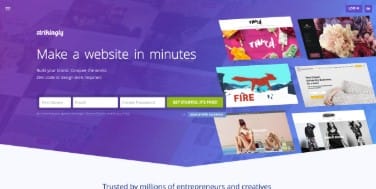
7. Strikingly
Website: www.strikingly.com
Key Features:
Specializes in one-page websites, perfect for portfolios, resumes, or personal brands.
Easy blog integration for sharing updates and content.
Built-in social media and email marketing tools to grow your audience.
Beginner-friendly interface lets you create a website without coding.
Pros:
Quick setup and publishing, ideal for newcomers.
Excellent for personal branding, portfolios, or simple business sites.
Minimal learning curve makes it one of the best website building tools for beginners.
Cons:
Not suitable for complex or multi-page websites.
Free plan comes with limited features.
How to Use Strikingly:
Sign up for a free Strikingly account.
Choose a one-page template that fits your style or brand.
Fill in content blocks like About, Services, Portfolio, and Contact.
Publish your website instantly and share it online.
Real-Life Example:
A freelance designer used Strikingly to build a personal portfolio website. The one-page layout allowed clients to quickly navigate through work samples, testimonials, and contact information without any coding. This demonstrates why Strikingly is considered one of the best website builders in 2026 and a top option among free website builders for beginners.

Strikingly create a website without coding
Comparison Table of Free Website Builders
| Builder | Best For | Free Plan | Drag & Drop | Templates | Ads-Free |
|---|---|---|---|---|---|
| Wix | Custom design | Yes | Yes | 800+ | No |
| Weebly | Small stores | Yes | Yes | 50+ | No |
| WordPress.com | Blogging | Yes | No | 100s | No |
| Google Sites | Internal sites | Yes | Yes | Limited | Yes |
| Webnode | Multi-language | Yes | Yes | 100+ | No |
| Site123 | AI-assisted setup | Yes | Yes | 150+ | No |
| Strikingly | One-page sites | Yes | Yes | 50+ | No |
Bonus Tips for Beginners
Start Simple: Avoid overwhelming yourself with too many pages or features. Choose a clean, easy-to-use template from the best website builders in 2026.
Mobile Optimization: Ensure your website looks great on smartphones and tablets, as most users now browse on mobile devices.
Focus on Content: Clear, engaging content is more important than flashy design elements.
Use Free Design Tools: Platforms like Canva and Unsplash offer free graphics and images to enhance your site.
Plan Navigation Carefully: Keep menus simple and intuitive to improve user experience and site engagement.
Using these tips, beginners can efficiently use free website builders for beginners to create a website without coding and launch a professional-looking site quickly.
Common Mistakes to Avoid When Using Free Website Builders
When using free website builders for beginners, it’s easy to make mistakes that can affect your website’s performance and usability. Avoid these common pitfalls:
Choosing a complicated template as a beginner: Stick to simple, easy-to-use templates from the best website builders 2026 to get started quickly.
Ignoring mobile responsiveness: Ensure your site looks great on smartphones and tablets, as most visitors browse on mobile devices.
Overloading your website with too many plugins or widgets: Too many elements can slow down your site and confuse visitors.
Forgetting SEO basics: Include meta descriptions, headings, and proper titles to help your site rank higher in search engines.
Not adding essential pages: Always include About, Contact, and Privacy pages to create a professional and trustworthy site.
By keeping these points in mind, beginners can effectively create a website without coding and use the right website building tools for beginners to launch a polished site.
FAQs About Free Website Builders
Q1. Can I create a professional website for free?
Yes. Platforms like Wix, Google Sites, and Site123 allow you to build fully functional websites at no cost, making them top free website builders for beginners.
Q2. Are these website builders safe?
Absolutely. All the tools listed provide secure hosting with SSL encryption to protect your site and visitors.
Q3. Which builder is best for blogging?
WordPress.com is the most robust option for blogging, with hundreds of free themes and SEO-friendly tools.
Q4. Which builder is most beginner-friendly?
Wix and Site123 are highly recommended for newcomers due to their intuitive drag-and-drop editors and beginner-focused tutorials.
Q5. Can I switch templates later?
Some platforms, like Wix, do not allow template changes on the free plan. Choose your template carefully before publishing.
Conclusion
In 2026, creating a website without coding has become easier than ever. Whether you’re a small business owner, content creator, student, or hobbyist, the 7 best free website builders for beginners provide all the tools you need to launch your online presence quickly and professionally. Platforms like Wix offer flexible design options, WordPress.com excels in blogging and content-rich websites, and Google Sites provides simplicity for educational or internal projects.
These website building tools for beginners come with intuitive drag-and-drop editors, pre-designed templates, mobile responsiveness, and built-in SEO features, enabling anyone to build a polished website without technical knowledge. With free website builders for beginners, you can design blogs, portfolios, online stores, or personal sites without spending a single dollar.
To get started, pick a platform that suits your needs, select a simple template, and focus on clear content and easy navigation. Avoid common mistakes like overloading plugins, ignoring mobile optimization, or skipping essential pages like About and Contact. By leveraging the right website building tools for beginners, following best practices, and using free resources, you can create a website without coding that looks professional, functions smoothly, and establishes your online presence with confidence in 2026.